← Back to projectsSaaS no-code
SaaS no-code
tool
SaaS no-code development tool for creating complex applications for business-specific processes. With Any2Info you can build completely customized apps to provide your customers and employees with the right information at the right time.
Challenges
01
Evolve the design system
Extend the existing design system to enable scalable, web-compatible components across all devices
02
Reduce cognitive load
Simplify complex desktop patterns and minimise visual noise to keep users focused on core tasks
03
Optimise for responsive
Adapt layouts and interactions for seamless cross-device performance and usability
04
Clarify hierarchy
Establish a clear visual hierarchy that guides users naturally through key workflows
Process
The project followed a structured, research-driven approach to transform a complex desktop tool into a modern responsive experience.
1. Audit & Analysis reviewed the existing desktop interface to identify usability issues, visual inconsistencies, and simplification opportunities across the core workflows.
2. Design System Expansion refined and extended the component library to create modular, web-compatible patterns that maintained visual consistency across screen sizes.
3. Layout & Interaction Design adapted layouts and interaction patterns for responsive behaviour, ensuring a seamless experience from desktop to mobile.
4. Simplification & Focus reduced cognitive load by clarifying hierarchy, minimising visual noise, and emphasising core content for each user scenario.
1. Audit & Analysis reviewed the existing desktop interface to identify usability issues, visual inconsistencies, and simplification opportunities across the core workflows.
2. Design System Expansion refined and extended the component library to create modular, web-compatible patterns that maintained visual consistency across screen sizes.
3. Layout & Interaction Design adapted layouts and interaction patterns for responsive behaviour, ensuring a seamless experience from desktop to mobile.
4. Simplification & Focus reduced cognitive load by clarifying hierarchy, minimising visual noise, and emphasising core content for each user scenario.
Result
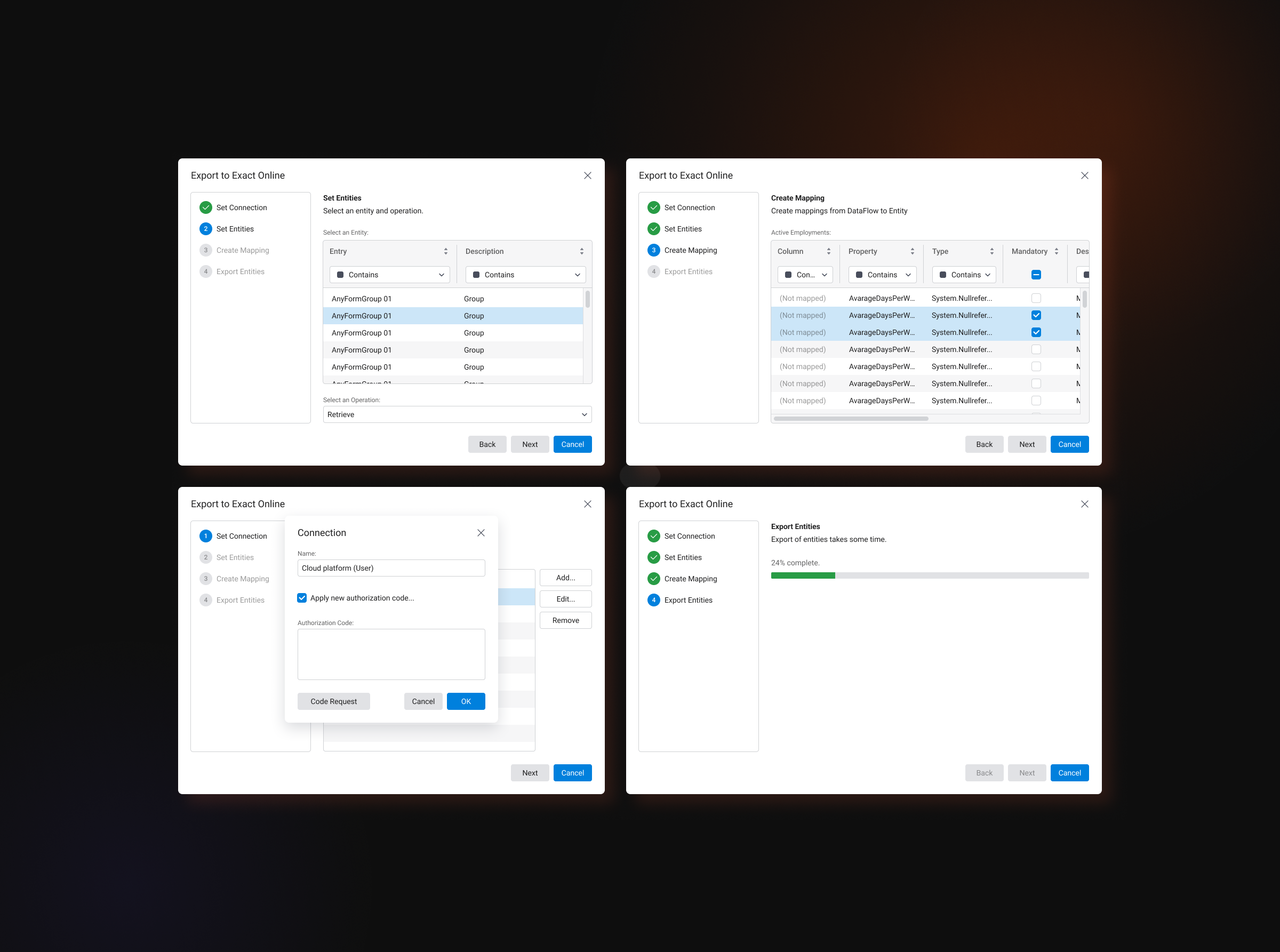
The redesigned interface improved clarity and responsiveness; the new component library enabled faster iteration and consistent cross-device behaviour. The redesign is displayed in the images and validated through user feedback.
Screenshots — before & after
Before vs after — highlights of the visual and UX improvements.
What I learned
I learned how to adapt complex desktop interfaces into flexible, responsive web experiences while maintaining visual consistency and usability. The project strengthened my skills in scalable design systems, responsive layouts, and simplifying interfaces to reduce cognitive load.